WPS Office Lite is a beta version, a complete upgrade from the original. This version not only maintains its lightweight design, supports multiple languages, and is tablet-friendly, but also offers basic editing features for documents, spreadsheets, and presentations, multi-format compatibility, and cloud-based collaboration. Users can improve efficiency through custom settings, templates, and real-time collaboration. We encourage you to download this beta version and provide valuable feedback to help shape the next generation of efficient mobile office apps. Download and experience it now!
Click to load YouTube / 点击加载视频
YouTube ↗Features:
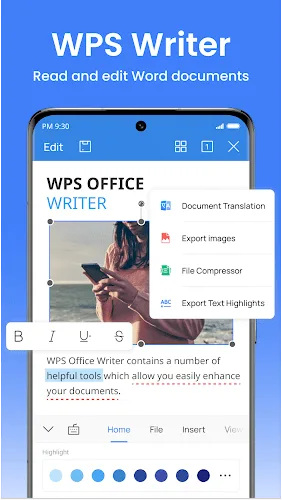
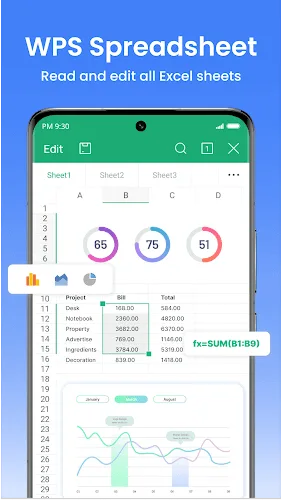
Everything in one app: A spreadsheet, a presentation file or a few lines of text are all fully supported.
Compatible with platforms: Because it uses common office formats, it is completely understandable that you can share it.
Stable content quality: AI can generate answers and meet user needs in a short time.
Accelerate your work process: Performance will continuously increase if you know how to take advantage of features to draft simple documents.
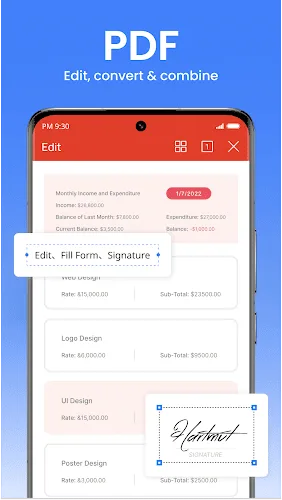
Edit content easily: You can do anything within the document space, such as signing, highlighting, or re-numbering pages.
AI support: Because teachers have to read many different files, users can ask the system to summarize them.
Quickly scan a piece of paper: Turning something in your hand into a PDF file is completely possible.
OCR support: Besides being archived, it can still be edited and turned into a complete document for sharing.
Share and edit simultaneously: If a document is too long, you can ask a colleague to complete it to make progress.
Absolute security: The application can protect your documents and only allow those who are authorized to access them smoothly.
Tips for Users:
Customize Settings: Explore the settings menu to personalize your experience and optimize the app to suit your preferences.
Use Templates: Take advantage of the pre-designed templates in WPS Office Lite to create professional-looking documents quickly.
Collaborate with Others: Enhance collaboration by sharing documents with colleagues and working together in real-time using the app's collaboration tools.
Explore Advanced Features: Experiment with the advanced features in WPS Office Lite to discover hidden gems that can boost your productivity.
Highlights:
The application supports many types of office files used by many people and offers fully detailed reading and editing features.
These editing features will vary depending on the characteristics of each file type and help you work properly on Android devices.
The application supports the conversion between different file types when you can take advantage of each feature of that file type in editing the necessary content.
Retrieving content from these categories through scanning is made easy, and the content you create is also completely secure.
You can link to other platforms to take advantage of the enormous file resources they offer and share files with just a few simple steps.
Conclusion:
WPS Office Lite is a powerful and convenient app that allows you to read and edit a wide range of office files right from your Android device. With its user-friendly interface and detailed editing features, you can easily work on important documents, spreadsheets, and PDFs. The app supports various file types, including Word, Excel, and PowerPoint, and provides specific editing options for each file type. You can also convert files between different formats, extract text from documents, and secure your files with passwords. Plus, it seamlessly integrates with cloud platforms and note-taking apps, making it the perfect all-in-one tool for your work needs.