RE Equalizer FX is a professional audio adjustment software designed to provide users with top-notch sound quality. It utilizes the latest technology to help users customize the sound quality to their needs, making it even more beautiful and engaging, allowing them to create their own perfect music. The software is constantly updated with more interesting and practical tools to enhance your musical journey. We believe that users will enjoy the ultimate music listening experience with this software! Download the software and enjoy your musical journey!
Click to load YouTube / 点击加载视频
YouTube ↗Features:
Studio Grade Performance: The application will create a mini studio for users to use anytime, anywhere. The modern editing tool system is designed to serve the user’s music production needs. The performance of the tracks will be upgraded to reach the quality threshold that users desire.
Eliminates Noise Distortion: Users can remove noise during the process of checking music tracks. Some noise will appear during the recording or mixing of music tracks. The application will help users listen and analyze more carefully to detect them.
Achieve Desired Mix: Users will be exposed to and use modern music mixing toolkit. The quality of the mixes will be upgraded during the process of checking and customizing by users. The application will provide some other tools to serve the user’s music composition needs.
Extensive Control Options: More customization and music composition tools will be added to serve the needs of users. The application will meet all the wishes of users when creating an extended controller. In this special controller, users can activate any tool and enjoy its features.
Real-Time Monitoring: Users can perform mixing, transformation, and frequency shifting processes thanks to the application’s controller. Audio analysis panels are also set up to support users in monitoring the composition activities in real time.
Highlights:
Studio-Grade Design: Delivers professional-grade audio control with a user-friendly interface miming high-end studio equipment.
Shunt Audio Engine: Utilizes advanced audio processing technology to eliminate distortion and maintain audio clarity.
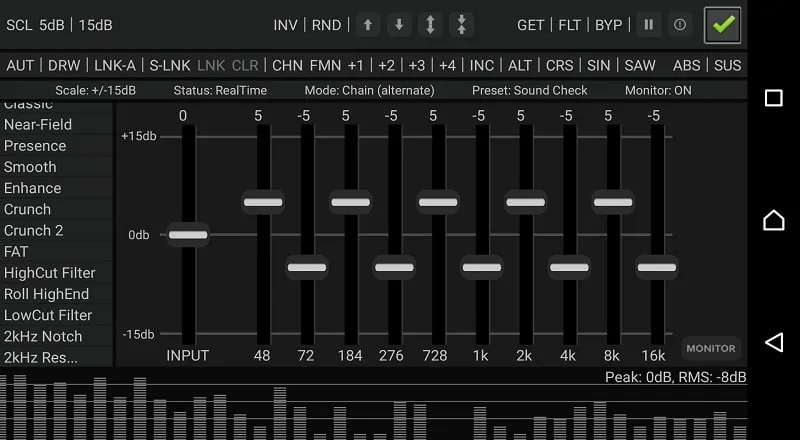
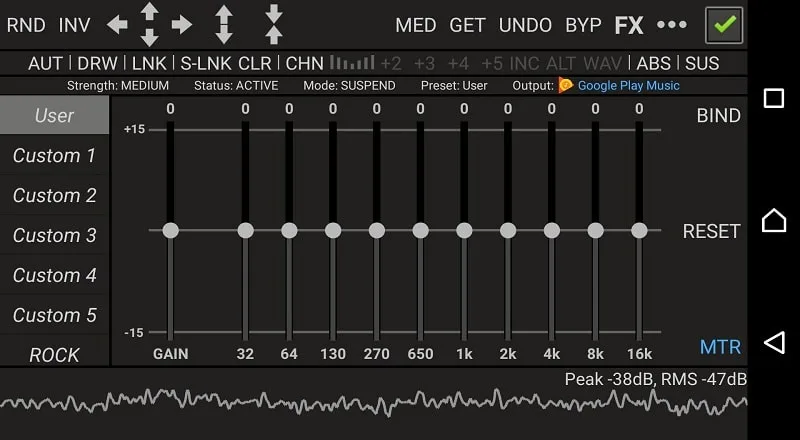
10 ISO Faders: Provides one band per octave for precise control over different frequency ranges.
20 Built-in Presets: Comes with pre-engineered presets for quick adjustments, along with 10 customizable presets.
Amplifier and Compressor Effects: Users can adjust audio gain and dynamic range for a balanced sound output.
Customizable Controls: Offers extensive options for EQ fine-tuning, including band stepping, mixing, and multi-directional automation.
Threshold Gate: Prevents audio clipping by automatically overriding signals that exceed a set threshold.
User Reviews:
Great app, has a deep bass that works right. Other equalizers fails to do that right trying to give the impression of more bass by lowering the high tones, but that's not the case here. The 2 perm that a lot of people are afraid of granting, the app is not actually using them. I monitored that,no attempts to access the storage and mic. It will only use them when required, exporting/importing settings. The mic I don't know when, but during my test never access it. 600kb/small, low energy usage.
So, this is still hands down the best external EQ for Android. I wish there was more control over Reverb but that is not picking. The ability to control output gain is immensely satisfying. When using Bluetooth it essentially an input gain as most Bluetooth devices have their own gain settings whether preset or custom. I'd like it if you could control EQ settings to specific devices, not just whether Bluetooth or wired.
Very good app. Not great for midrange, but has adequate overall balance. Sounds like it may bleed over into the other eq settings. But for sound quality, it is by far the best app I have tried and that has been quite a few. Has many features, such as deeper bass adjustment with 10 steps from normal to deepest. The reverb is stationary setting, but set at a very good setting, as to not create an echo. I like the way, being able to create my own sound levels and being able to save them.
BIG THANK YOU! Still my favorite after 2 and half years and getting stronger every day. It's not just an equalizer but also has music visualizer plus it can read peak and rms signal values. Audio output is really kicking and loud. Easily integrates with multimedia apps including Tidal, Google Music, Spotify, YouTube Music and can also be used for portable music production. Hats off to the devs for hard work. EDIT: Eq bypass and control switches works very well in Notification and Widget bar.
FAQs:
Q: Is it compatible with all music apps?
A: It works with most music apps, but to avoid interference, it is recommended that you disable any built-in or external equalizers.
Q: Does the app support custom presets?
A: It offers 10 customizable presets you can adjust to your preferences.
Q: Is there a tutorial available for learning how to use the app?
A: The app includes a detailed tutorial to guide users through its features and functionalities.
Q: Can I use the app without an internet connection?
A: The app works offline, making it ideal for users who want to enhance their audio experience without relying on an internet connection.
Q: Does it offer real-time audio analysis?
A: The app includes a real-time audio analyzer that lets you monitor changes to the audio signal as you adjust.
Conclusion:
RE Equalizer FX MOD APK is an ultimate sound personalization tool that allows users to create the ideal listening environment whenever they enter the music world. This software helps to adjust the sound and starts a new musical adventure thanks to integrating many advanced technologies, giving each individual an impressive sound balance experience. Statue. Music is vital in our lives; it nurtures emotions and connections and creates mental relaxation. However, we do not always have the opportunity to enjoy music in the ideal setting. Sometimes the sound is cloudy, noisy, or doesn’t convey all the tones correctly. And that is also why users should have their own RE Equalizer FX application on their devices.