XRecorder Pro is an excellent screen recording tool. It boasts powerful features, allowing you to quickly and easily record various videos and share the games you're playing. With XRecorder Pro, you can perform any operation while recording your screen, and simultaneously record both your phone's audio and your own. It also features a user-friendly interface that lets you get started quickly; just a tap is all it takes to begin recording. Click to download XRecorder Pro now and enjoy a simpler, faster, and more convenient way to record your screen.
Highlights:
For Gamers
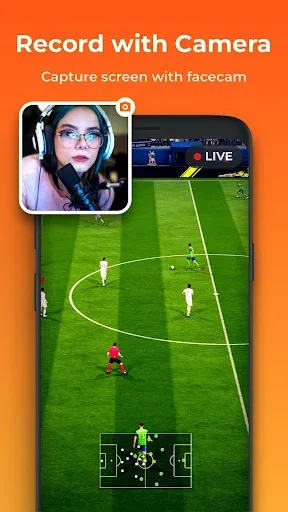
Gamers use XRecorder to record game play. The app shows smooth and clear video. It records sound from the game. You can also talk using the mic. This helps when showing tips or tricks. Many gamers post their game videos on YouTube using this application.
For YouTubers and Creators
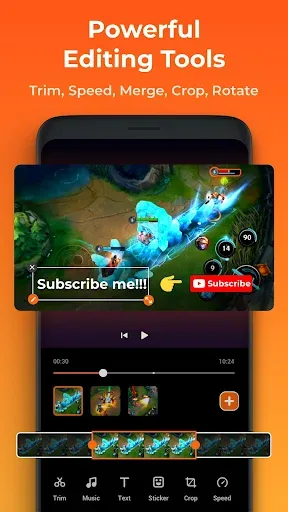
Creators love to make fun and helpful videos. It lets them record their screen, voice, and even their face. The editing tools help them cut, trim, and add music. No need for extra apps. Just record, edit, and share in one place.
For Teachers and Students
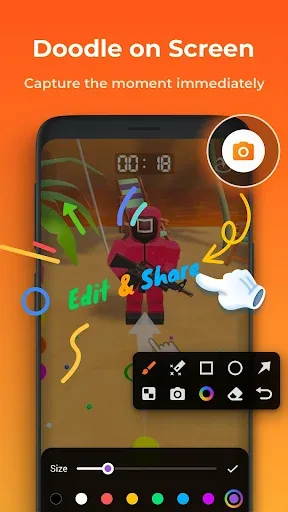
Teachers can use it to record lessons or app demos. They can draw on the screen to explain things better. Students can record online classes or tutorials. They can watch them later to study. It’s a great help for learning.
For Office Workers and Professionals
People in offices can record app guides, meetings, or demos. It helps explain work in a simple way. You can even add voice notes.
For Everyone Else
Anyone who wants to record their phone screen can use it. Whether it’s saving a video call or showing how to use an app, XRecorder makes it easy.
Features:
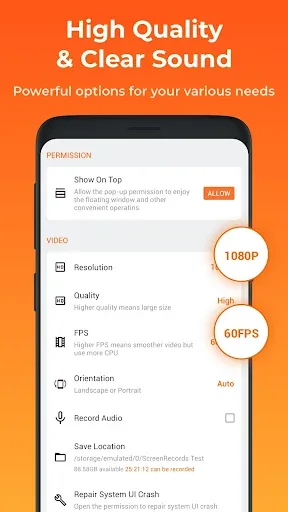
There is no time limit;
High definition resolution;
Floating window;
Record video calls, TV shows, YouTube videos, gameplay, etc.;
Quick screenshot of the image;
The presence of a countdown timer;
Selecting a storage location: device memory or SD card;
Rotate the screen in one motion;
Publishing an entry in a social network.
Tips for Users:
HD Quality Recording: Here, we are not only talking about whether the recording is smooth or not, but we also need to thank you because it can help us record our screen with quality.
Internal Audio Recording: In addition, the app also offers a noise filtering feature that makes recording more stable than ever when there is no noise from outside.
Live Streaming: Because of this noise filtering feature, we can also confidently stream the movies we are watching to our friends or relatives.
Adjustable Ball Size and Style: In addition, if the buttons displayed on the app feel too confusing, you can also control its size or move it to a certain place.
Hide Controls: To improve the user experience, publishers have intentionally created more convenience for them by allowing users to optionally hide and display buttons while recording.
Conclusion:
With a screen recording application for mobile, users always require it to be really minimalistic and intuitive because they need to open the application quickly while performing other tasks on the screen. XRecorder has really met this requirement. Once installed, you can start recording your screen with just a few taps. Whether you’re recording tutorials, games, video calls or anything else, XRecorder ensures smooth and hassle-free recording.