ColorNote is an efficient note-taking application that allows users to jot down their inspirations anytime in their notebooks and supports uploading images in various formats, meeting the needs of both work and life. Privacy is also guaranteed, employing diverse encryption methods such as passwords and fingerprints to protect user notes in real time, ensuring peace of mind when using all the software's features. The software will continue to be updated and optimized, introducing more popular new features and providing users with a more comfortable note-taking experience.
Click to load YouTube / 点击加载视频
YouTube ↗Features of ColorNote:
Visual Organization: The application provides useful tools that allow users to take notes more conveniently. Many tasks and important content will be recorded by users in the application. They can perform the creation and customization of any note files.
Convenient Categorization: Users can choose the line style or any classification. Recording daily work and plans will be more convenient when users choose the right classification. The application also provides a plain paper style so that users can freely choose the background color.
Enhanced Productivity: The application provides a more convenient note-taking experience for those who often have to take notes. Instead of having to carry a notebook and pen, users can take notes directly with their mobile devices. This helps users work anywhere and improve work productivity.
Effective Planning: Tasks that need to be completed during the day will be added to the schedule. This application allows users to set up plans for the day, week, or month. Many tasks with specific time frames will be added to the list.
Mark as Done: Users can easily track the progress of completing tasks in the plan. The work schedule will be controlled by users by marking completed tasks. Uncompleted tasks will be left blank, and users will easily distinguish them.
Flexible Arrangement: Tasks in the plan have set start and end times. Users can arrange them in order of priority to be able to complete them sooner. These tasks are flexibly rearranged by users depending on the schedule of the day.
Highlights of ColorNote:
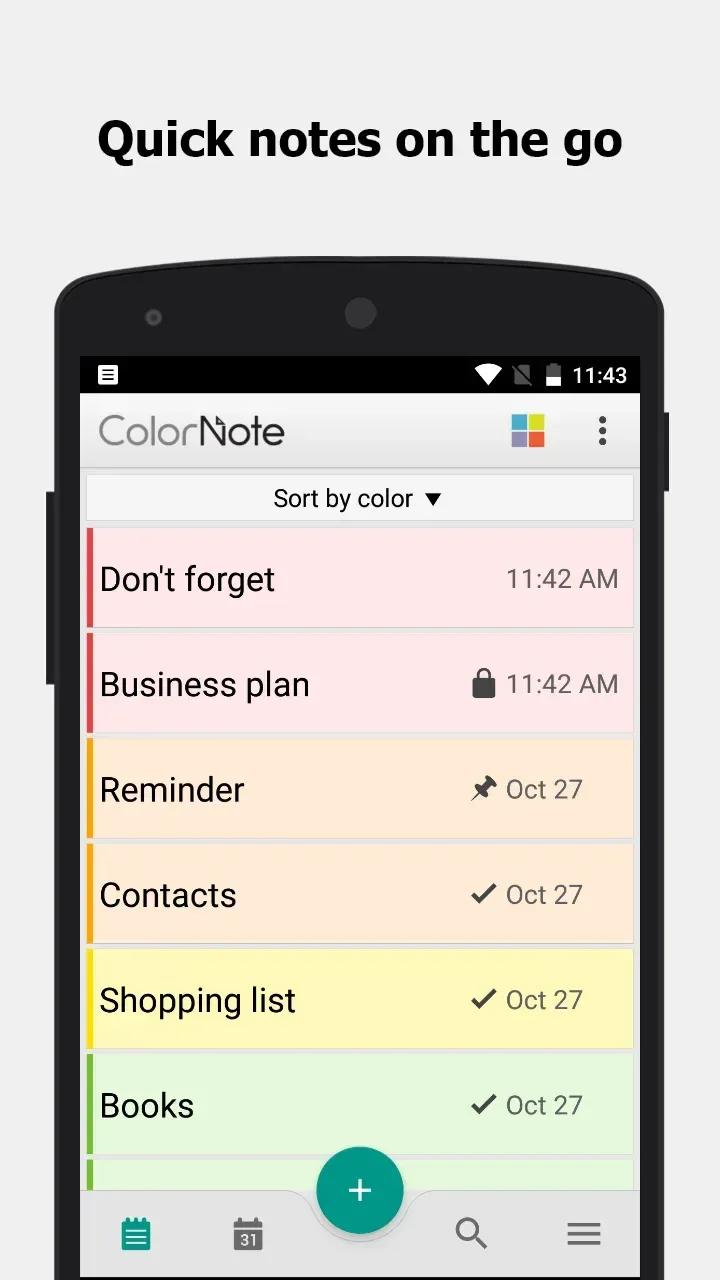
Color organization with fast views: You can assign colors to notes to group work, personal, and errands. The app provides list and grid views for quick scanning, and the search bar helps you find any note by title or content instantly.
Reminders with calendar support: ColorNote includes time alerts, all day reminders, and repeat options for routines. You can also view notes on a monthly calendar, which makes simple journaling and daily tracking straightforward.
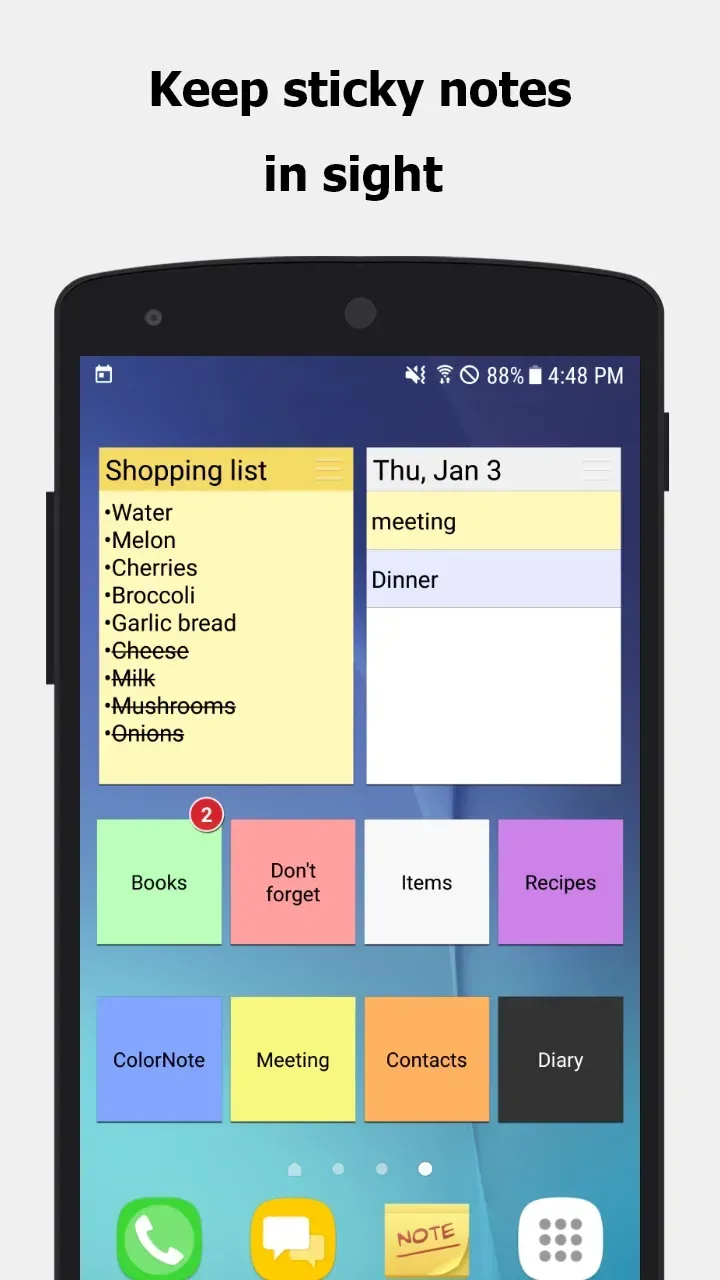
Home screen widgets for quick access: Sticky note widgets keep important notes on your home screen so you can see them at a glance. This reduces steps to open the app and helps you act on tasks right away.
Security, backup, and sync: ColorNote offers a password lock for private notes and encrypted cloud backup for account users. You can sign in with Google or Facebook for recovery and multi device continuity, or use local device backup when needed.
Sharing and linked notes: You can share notes by SMS or email, and create wiki style links using double brackets to connect related notes. This keeps projects navigable and helps you move between ideas without losing context.
FAQs of ColorNote:
Q: How do you place a sticky note widget on the home screen?
A: Press and hold on an empty space on the home screen, then select the widget option. From there, locate and select Color Note to add it to your home screen.
Q: Why don't the widget, alarm, and notes reminder functions work?
A: If the app is installed on an SD card, certain features such as the widget, reminder, etc., may not work correctly. Android does not support these features when the app is installed on an SD card. To regain access to these features, move the app back to your device's internal storage and restart your phone.
Q: Where are backed up notes data located on the SD card?
A: Backed up notes can be found in the following directories on the SD card: '/data/colornote' or '/Android/data/com.socialnmobile.dictapps.notepad.color.note/files'.
Q: I forgot my master password. How can I change it?
A: To change the master password, navigate to Menu → Settings → Master Password → Menu Button → Clear Password. Please note that clearing the password will result in the loss of any locked notes.
Q: How can I create a to-do list note?
A: Tap "New", then select "Checklist Note". From there, you can add items to the list and save. You can also tap an item to strike it through.
Final words:
In short, ColorNote Notepad Notes is a great choice for anyone who wants to take quick notes, organize work and protect information right on their phone. With a friendly interface, many recognizable colors and convenient reminder and sync features, the application helps you manage everything more neatly every day.