
Oppo Game Space is a highly praised and practical game optimization platform, providing players with an outstanding suite of game optimization tools for smoother system performance and superior system configuration adjustments. The application presents a powerful and easy-to-use game optimization program for a wide range of gamers. Players can enjoy a superior built-in game engine, network optimization features, and convenient call management settings, experiencing excellent centralized game management. The application boasts an intuitive interface design, making it your preferred gaming tool.
Click to load YouTube / 点击加载视频
YouTube ↗Wonderful Features of Oppo Game Space
Built-in Game Engine
The Oppo Game Space application features a built-in game engine designed to enhance game performance. With this powerful game engine, you can enable performance mode for the best gaming experience. Our testing on Oppo devices revealed a significant improvement in frame rate. Furthermore, game graphics quality was enhanced, allowing you to easily enjoy the game.
Network Optimization
For online gamers, latency is one of the biggest problems. Background applications often consume significant network resources, leading to a degraded gaming experience. With network optimization features, limiting the data consumption of background applications becomes easier than ever, freeing up full network bandwidth. This will ultimately reduce game latency, allowing you to enjoy a smooth, lag-free online gaming experience.
Manage All Your Games
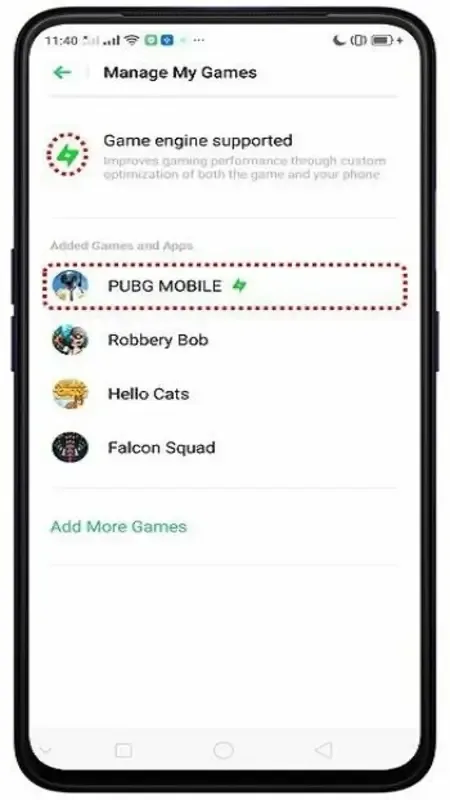
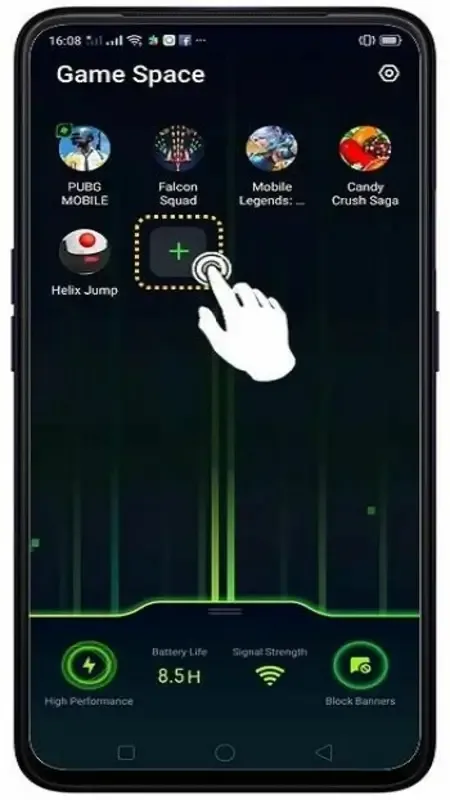
Oppo Game Space is an excellent game management application that lets you centrally manage all your games. With its interactive game control panel, you can easily manage your games. The application automatically detects installed games and displays them in the control panel. In the control panel, you can access various options, customize the game engine for each game, and then launch the game for a better gaming experience.
Fantastic Performance of Oppo Game Space
Oppo is one of the world's most popular smartphone brands. Like Xiaomi and Samsung, it uses a customized Android-based interface to stand out and provide a unique user experience. The company is also committed to enhancing product value and maximizing its hardware performance, especially in gaming. Therefore, Oppo developed its own gaming application – Oppo Game Space.
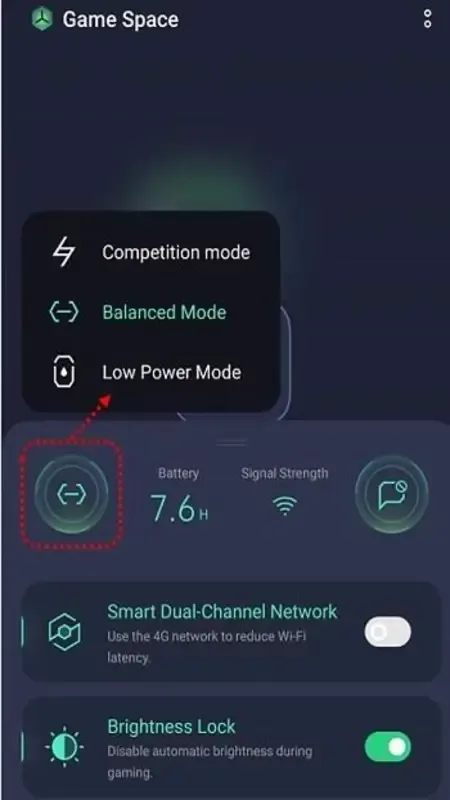
This feature is designed to optimize game performance. It automatically scans for installed games, and you can also manually add more games. As shown in the image below, from left to right, the first icon is used to switch between "Competitive," "Balanced," and "Low Power" modes. The second and third icons display remaining battery power and signal strength, respectively. The last icon is used to toggle notification blocking to avoid interruptions.
Pros and Cons of Oppo Game Space
Pros
Multiple performance modes (Competitive, Balanced, Low Power) are available to suit your gaming needs.
Installed games are automatically scanned, or you can add them manually.
You can turn on the switch to block notifications and avoid distractions.
Smart Dual-Channel Network (4G Assist) and Brightness Lock are available in the settings.
Cons
Only compatible with Oppo devices; performance impact depends on hardware configuration.
Reports indicate that games may still experience glitches and prompts even when Game Assistant is turned off.
Some users have reported latency issues when the assistant malfunctions, and the differences between different modes are not significant.
Comments indicate that some models or Android 10 devices lack updates or features; specific situations may vary depending on the region or phone model.
Frequently Asked Questions of Oppo Game Space
What if Oppo Game Space is missing from my Oppo device?
You need to download the app's APK file and install it manually to access the app.
How to add games to Oppo Game Space?
The Oppo Game Space app automatically scans your device and detects games installed on your smartphone.
Can Oppo Game Space prevent network latency?
Yes. By limiting background data usage by apps, the Oppo Game Space app can automatically reduce network latency, helping multiplayer gamers achieve a smooth gaming experience.
Conclusion
If you enjoy playing games on your smartphone and your phone is an OPPO brand, then the OPPO Game Space app is definitely worth recommending, almost a must-have. With just a few simple steps, it can help you optimize your device, enhance your gaming experience, and fully utilize your phone's performance. Other additional features are also very useful, and you'll likely use them sooner or later.