Play Store Update is an excellent utility application. It boasts powerful features, focusing on secure and reliable native system operations, helping users update their system's app store to the latest version or restore it to factory settings. With Play Store Update, you can easily update Play Store apps to the latest version or restore them to their original versions without collecting any user data. However, it includes the Google AdMob SDK, which is used to display banner and interstitial ads.
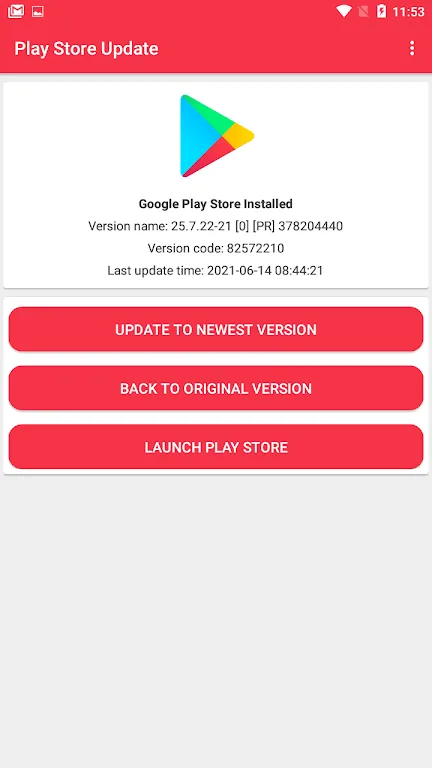
How to Uses:
Open Play Store Update and review the overview on the home screen. Tap the Update path to start.
Open your device’s store app, go to Settings, and open the About section. Tap the Update option if it is available. After this, return to Play Store Update to confirm the result.
Open Manage apps and device inside the store app and tap Update all to refresh your installed apps. Then monitor the progress until all updates finish.
Enable Auto-update apps and choose a network preference such as Wi‑Fi only or allow mobile data. This helps future updates run without manual steps.
If the update does not appear, open the Troubleshoot section in Play Store Update. Follow the steps to clear cache and data for the store app and related services, check free storage, set date and time to automatic, re-add your account, and uninstall updates to trigger a fresh automatic update.
Features:
Guided update using official menus
Play Store Update shows how to reach the built-in update control inside the store app and Android settings. It explains where to tap, what to look for, and how to confirm that the refresh started.
Safe restore to the factory version
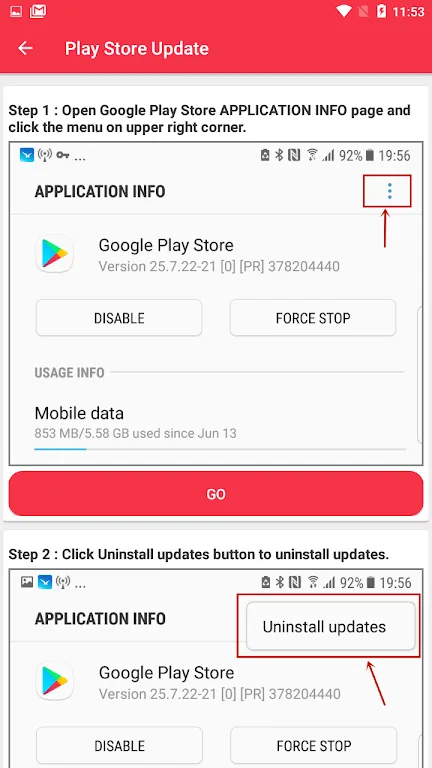
You can use Play Store Update to roll back the store app when a recent release introduces issues. The guide walks you through uninstalling updates so the system restores the original version and then updates again automatically.
Clear, step-by-step visuals
Play Store Update breaks down each step with plain language and simple illustrations. Therefore you always know which screen to open next and which button to tap to complete the task.
Troubleshooting checklist for update failures
When the store app does not update, Play Store Update provides a checklist for cache and data resets, space checks, network tests, time settings, and account re-add. This helps resolve most stuck or pending updates.
No APK files or root required
Play Store Update never asks you to sideload anything or modify the system. It uses built-in options that work across most Android devices so you can proceed with confidence.
Lightweight and quick to use
The interface focuses on the exact actions you need right now. In addition, Play Store Update keeps instructions short so you can finish updates or restores in just a few minutes.
FAQs:
Is the app free to download and use?
Yes, the app is a free app that provides a convenient way to update Android apps and manage device information.
Will the app store any of my personal information?
No, the app does not store any personal information. It simply checks for app updates online and helps users stay current with the latest features.
Can I uninstall multiple apps at once with the app?
While the app supports uninstalling individual apps, it does not currently offer a feature to uninstall multiple apps simultaneously.
Conclusion:
If you're looking to stay updated with the latest technology, innovation, startup news, and top-grossing apps, Techfy is the go-to app for you. With its daily updates, coverage of newly released apps, and valuable insights into the latest trends, Techfy is designed to keep you informed and ahead of the game. Don't miss out on this opportunity to become a techno expert – install Techfy and enjoy the Play Store Update app. Download now and stay at the forefront of the tech world.