WPS Office is a free, multi-functional office suite that integrates Word, PDF, Sheet, PowerPoint, Spreadsheet, Document, cloud storage, template library, and online editing and sharing, allowing you to view, edit, and share text files directly on your device. With this suite, you can view and edit various file formats, including DOC, DOCX, TXT, XLS, XLSX, PPT, PPTX, and PDF.
Click to load YouTube / 点击加载视频
YouTube ↗Features:
All-In-One Office App : WPS Office is currently one of the best and most popular office suites for your Android mobile and tablet devices. WPS Office for Android supports a lot of file types like memo, document, spreadsheets, PDF, presentations and many more. It means you can import and open files made with other office apps tools like Microsoft Office, Adobe and OpenOffice files like Word, PowerPoint, Excel, Google Docs, etc.
Make Presentations : WPS Office APK latest version is not just about viewing the documents but you can also scan and convert various file types with it. The best thing here is that once you have scanned any image or document then you can use its in-built animation and transition effects to create your own unique presentations. You can also take advantage of the laser pointer and ink feature that will help you to draw anything on the presentation files.
Easy To Use Options : Using WPS Office is very easy and you don’t have to expert in anything to explore differnet options of this app. You can navigate around and use the PDF converter, editor and reader app along with that you can also enter and use formulas in the app by copy-pasting it from the internet. WPS Office for Android comes with multi-window support to allow its users to do multiple works at the same time with night mode enabled.
Works Offline/Online : Another good thing about WPS Office Android APK is that this app works both online and offline. You don’t need an internet to read or edit files with it but if you want to share files via WiFi, NFC, social networking services, DLNA, etc. then you will need internet access. In the recent WPS Office update, the developers have added a new feature that allows you to recover deleted documents within 30 days.
Function:
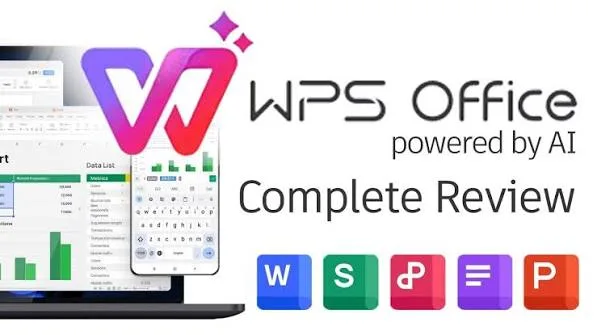
Imagine you're a student working on a group project. You need to compile research findings, create slides for a presentation, and organize data into spreadsheets. WPS Office allows you to do all this seamlessly within one app. You can collaborate with your group members, edit documents on your phone or laptop, and even convert your research into a professional-looking presentation, all without switching between different software.
For a professional, let's say you're working remotely and need to review and edit a report while traveling. With WPS Office, you can access and modify the document on your smartphone or tablet, sync it across devices using cloud storage, and seamlessly continue your work on a laptop later. The ability to handle documents, presentations, and spreadsheets in one app streamlines your workflow and ensures efficiency, no matter where you are.
Highlights:
Powerful PDF Toolkit
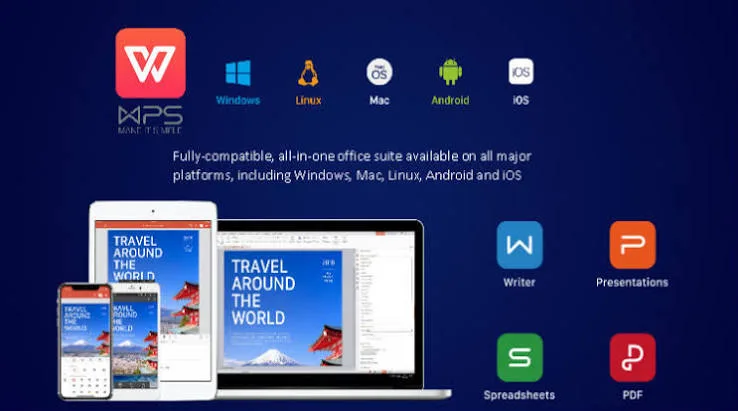
A free PDF reader, PDF editor, and PDF converter on your mobile phone. The PDF converter can help you convert PDFs from and to Word, Excel, PPT, and image files with ease.
Files Sync Across Cloud Platforms
WPS Office for Android is one of the best office suites supporting mainstream cloud platforms for free. You can freely sync files from WPS Office to third-party cloud platforms such as Google Drive, Evernote, and OneDrive.
Say Farewell to Windows Desktop Chaos
WPS Office for Android supports 46 languages, including English, Hindi, Indonesian, Filipino, Japanese, Thai, and Spanish.
Conclusion:
WPS Office is a powerful office suite designed to help you create, edit, read and manage documents efficiently. It supports Word documents, PDF files, Excel spreadsheets and PowerPoint presentations, making it a reliable document editor and document reader for work, school and business.